As an Amazon Associate, Akermin earns from qualifying purchases. Product links on this page are affiliate links.
Short answer: both cameras state the same 160 by 120 capture upscaled to 480 by 360, so pick on connection. The ONE Pro plugs into a USB-C iPhone and is the simpler, more reliable pairing. The Edge Pro goes wireless, which lets the camera reach into a space your phone cannot follow.
What Each Listing States
| Item | FLIR ONE Pro | FLIR Edge Pro |
|---|---|---|
| Native thermal | 160 x 120 | 160 x 120 |
| Output image | 480 x 360 via Vivid IR | 480 x 360 via Vivid IR |
| Connection | Plugs into the phone charging port, USB-C iPhone 15 and newer | Wireless Bluetooth, all Android or iOS devices |
| MSX | Yes | Yes |
| Extras stated | Step by step inspection guides in the app | Use in tight spaces or around corners |
The Cable Is the Whole Argument
A plugged-in camera and a wireless one behave differently in exactly one way, and it happens to be the way that matters most in real buildings. With the ONE Pro, wherever the camera points, your face and your phone are directly behind it. That is fine on a wall, a radiator or a panel with the cover off. It is not fine when the thing you want to look at is above a suspended ceiling, behind a water heater, under a vehicle or inside a cabinet you cannot get your head into.
The Edge Pro is designed for precisely those cases: put the camera where it needs to be, hold the phone where you can see it. The trade is the usual one for wireless. There is a pairing step, a battery in the camera to keep charged, and a link that can drop. A plugged-in camera has none of those failure modes and draws its power from the phone.
Neither Is a Substitute for a Real Detector
Both listings state that the 480 by 360 figure is produced by upscaling a 160 by 120 capture. The image looks smooth and detailed, and MSX adds visible outlines that make it easy to interpret, but the underlying measurement is 19,200 samples. That is enough for damp, draughts, underfloor heating and finding which pipe is the hot one. It is not enough for small connections at a distance, which is where a C8 or an E8 Pro starts to matter.
The App Is Part of the Product
The ONE Pro listing states step by step inspection guides inside the app that walk through typical faults such as air leaks and moisture. For a first thermal camera that is genuinely valuable, because the hardest part of thermal imaging is not taking the picture, it is knowing what a picture means. If you are buying your first camera and expect to learn on it, that guidance is worth weighing against the Edge Pro’s reach.
Who Buys Which
- iPhone owner buying a first thermal camera: ONE Pro, simpler and with the inspection guides.
- Android owner: Edge Pro, or one of the USB-C clip-on cameras compared in TOPDON TC001 versus TC001 Max.
- Anyone inspecting ceiling voids, vehicle underbodies or tight cabinets: Edge Pro, for the separation between camera and screen.
- Anyone who needs measurement-grade small target detail: neither; move to a 320 by 240 camera.
How We Research
Specifications come from the manufacturer listings for each camera, including the upscaling language, which FLIR states directly. We did not run laboratory tests. Our full ranking is in the thermal imaging camera roundup.
Recommended Tools

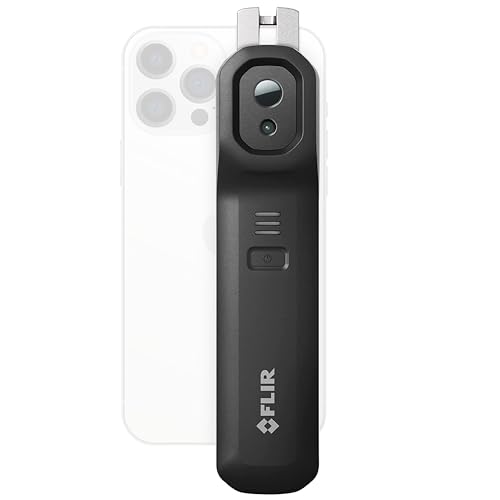

Products shown because their documented specifications fit this guide. Price and availability are on Amazon and can change.
Frequently Asked Questions
What is the main difference between the ONE Pro and the Edge Pro?
Connection. The ONE Pro listing states it plugs directly into the phone charging port and works with USB-C iPhones, iPhone 15 and newer. The Edge Pro listing states a wireless Bluetooth connection compatible with all Android or iOS devices.
Is the image the same?
Both listings state the same thing: Vivid IR upscales the image to 480 by 360 from 160 by 120, with MSX merging thermal and visual detail. So the captured resolution is 160 by 120 on both.
Why would I want the camera separate from the phone?
Reach. The Edge Pro listing makes this explicit: it connects wirelessly so you can see into tight spaces or around corners. A camera on a cable is stuck wherever your hand and phone can both go.
Does the ONE Pro work with Android?
The listing quoted here is the iOS version for USB-C iPhones, iPhone 15 and newer. Check the specific variant before buying, because the connector determines compatibility.
Affiliate disclosure: Akermin earns a commission from qualifying Amazon purchases made through links on this page. Our editorial picks are based on documented specifications and owner feedback, not commissions.