As an Amazon Associate, Akermin earns from qualifying purchases. Product links on this page are affiliate links.
Calibration is the act of comparing an instrument’s readings with a known reference and recording the differences; it tells you how wrong the instrument is but changes nothing. Adjustment is altering the instrument so that it reads closer to the reference. A laboratory calibrates first (as-found), adjusts if needed, then calibrates again (as-left). Consumer “calibrate” buttons skip the measurement and just adjust, which is why they cannot tell you how far off the device was before you pressed them.
Two separate actions
| Calibration | Adjustment | |
|---|---|---|
| What happens | Instrument and reference measure the same thing; differences are recorded | Instrument settings are changed to reduce the difference |
| Output | A table of errors and uncertainties; a certificate | An instrument that reads differently than before |
| Changes the instrument? | No | Yes |
| Can be done without the other? | Yes; many instruments are calibrated and used with a known correction | Not meaningfully; you need to know the error to adjust it |
Why the distinction matters
Reading a certificate
A calibration certificate reports as-found readings, the errors the instrument had when it arrived. If an instrument was adjusted, the as-left readings follow. The as-found data is what tells you whether the measurements you made over the past year were trustworthy. An instrument that arrives badly out means past data may need correcting. See how to read a calibration certificate.
Using a correction instead of adjusting
Many instruments cannot be adjusted by the user, and some should not be. A calibrated hygrometer that reads 2 percent high can be used as-is by subtracting 2 from every reading. This is how reference instruments are commonly handled: calibrate, record the correction, apply it.
Consumer devices
A CO₂ monitor’s fresh-air “calibration” is an adjustment: it sets the current reading to about 420 ppm. A hygrometer’s calibration mode after a salt test is the same. Neither records how far off the device was, so neither tells you whether last month’s readings were good. If you want that information, write down the reading before pressing the button. See how to calibrate a CO₂ monitor and why automatic CO₂ calibration can be wrong.
Automatic baseline correction
Automatic baseline correction in CO₂ and VOC sensors is a continuous, unrecorded adjustment. It keeps the device useful without any calibration step, at the cost of assuming a reference condition (fresh air) that may not exist in the room. That assumption is the reason to check such devices against a genuine reference occasionally, which is a calibration in the strict sense.
A sensible home procedure
- Calibrate: put the instrument in a known condition (outdoor air for CO₂, saturated salt for humidity, an ice bath for temperature) and record the reading. That is the as-found value.
- Decide: if the error is within the manufacturer’s tolerance, leave it alone and note the offset.
- Adjust if it is outside tolerance and the device allows it.
- Check again (as-left) to confirm the adjustment worked.
- Record the date and both readings.
Related: what sensor drift is and what measurement uncertainty is.
Recommended Tools

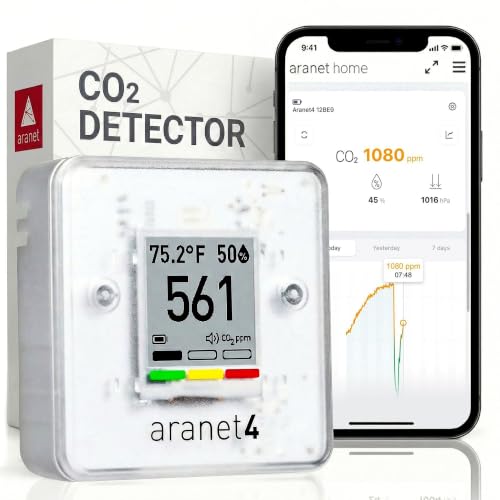
Products shown because their documented specifications fit this guide. Price and availability are on Amazon and can change.
Frequently Asked Questions
Does calibration change the instrument?
Strictly, no. Calibration compares and records. If the error is too large, an adjustment follows, and then a second calibration confirms the result.
What does the calibrate button on my CO₂ monitor do?
It adjusts. It sets the current reading to a reference value (about 400 to 420 ppm in fresh air). No record of the previous error is kept, so it is an adjustment without a calibration.
Why do certificates show as-found and as-left readings?
As-found is the calibration before any adjustment, which tells you how the instrument was performing during the past period of use. As-left is after adjustment, which tells you how it performs now.
Affiliate disclosure: Akermin earns a commission from qualifying Amazon purchases made through links on this page. Our editorial picks are based on documented specifications and owner feedback, not commissions.