As an Amazon Associate, Akermin earns from qualifying purchases. Product links on this page are affiliate links.
Choose a smartphone thermal camera by first matching the connector and platform (USB-C for current iPhones and Android; Lightning for older iPhones; wireless models work with both), then requiring a stated native resolution of 160×120 or 256×192 and an NETD figure, then deciding between a dongle with its own battery (no drain on the phone; must be charged) and one powered by the phone (always ready; drains the phone). Check the app for manual span, palettes, visible overlay, spot tools and image export. Confirm it fits with your case or budget for a short extension cable.
Step 1: Connector and compatibility
| Connector | Works with | Notes |
|---|---|---|
| USB-C | Android; iPhone 15 and later; iPad with USB-C | The current standard; check the dongle lists both iOS and Android if you may switch |
| Lightning | iPhone 14 and earlier | Being phased out; buy only for a phone you will keep |
| Wireless (Wi-Fi/Bluetooth) | Any phone with the app | FLIR Edge Pro class; clips to the phone or works detached; own battery |
Some USB-C dongles are iOS-only or Android-only despite the shared connector; the listing states it. TOPDON’s TC001 Max and TC002C Duo list both.
Step 2: Detector
Look for native resolution and NETD as with any camera: 160×120 (FLIR One Pro) or 256×192 (TOPDON TC001 series, many others) and under 70 mK. Ignore “480×360 super-resolution” style figures. See how to compare thermal camera resolution.
Step 3: Power
- Own battery (FLIR One Pro): does not drain the phone; about an hour of use; another thing to charge.
- Phone-powered (most USB-C dongles): always ready; draws a few hundred milliwatts; phone battery falls noticeably in a long survey.
Step 4: The app
The app is the camera’s interface, and quality varies. Check for: manual span and level; multiple palettes; visible overlay or picture-in-picture; spot, area and isotherm tools; emissivity setting; still and video capture with radiometric data; export and sharing. Guided inspection modes (FLIR One app) help newcomers. Read recent reviews for connection reliability on your phone model; USB-C accessory support varies by phone.
Step 5: Physical fit
The dongle must seat fully. Thick cases prevent it; some dongles come with an extension cable or adjustable connector. Consider the camera’s orientation (rear-facing for surveys; some flip for selfie-style use) and how it hangs off the phone in use.
Limits to accept
- Accuracy is usually stated with conditions (for example ±3 °C or ±5 percent between 15 and 35 °C ambient); fine for houses, not for electrical measurement.
- Ergonomics: holding a phone with a dongle at arm’s length for an hour is tiring.
- The phone is unavailable for calls, notes and photos while the camera app runs.
- Thermal drift as the dongle warms; let it settle a few minutes and use the shutter (flat-field correction) often.
Picks by use
| Use | Choose |
|---|---|
| Occasional home checks, iPhone | FLIR One Pro (USB-C or Lightning per phone) |
| Android or cross-platform, more resolution | TOPDON TC001 Max or TC002C Duo (256×192, USB-C) |
| Detached or awkward angles | FLIR Edge Pro (wireless) or an articulating unit |
| Regular inspection work | A standalone camera instead; see choosing a thermal camera for home inspection |
Phone and standalone cameras are compared side by side in best thermal cameras for home inspection.
Recommended Tools



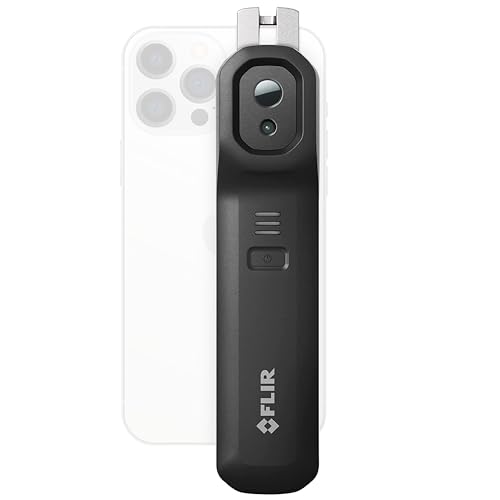
Products shown because their documented specifications fit this guide. Price and availability are on Amazon and can change.
Frequently Asked Questions
Are smartphone thermal cameras as good as standalone ones?
The detector can be identical. What differs is battery life, ergonomics, the phone being tied up, and sometimes accuracy conditions. For occasional home use the phone camera is excellent value; for daily work a standalone is easier.
Will a thermal dongle work through my phone case?
Often not; the connector needs to seat fully. Some dongles include an extended connector or a short cable. Wireless models (FLIR Edge Pro) avoid the problem.
Which resolution should I pick?
160×120 native for general home use; 256×192 for more detail and distance. Avoid dongles that quote only an upscaled figure.
Affiliate disclosure: Akermin earns a commission from qualifying Amazon purchases made through links on this page. Our editorial picks are based on documented specifications and owner feedback, not commissions.