As an Amazon Associate, Akermin earns from qualifying purchases. Product links on this page are affiliate links.
The logging class is worth the extra complexity when the problem is intermittent or slow: a compressor that trips once an hour, a circuit that sags under load, a panel that heats up through the afternoon. A meter without logging is the right buy when you are chasing a fault you can reproduce on demand, when you are doing installation and verification work, or when you simply need a number now. In the supplied products, The Fluke True-RMS Stand is the clearest example of standalone logging with on-instrument trend review, and the BTMETER 570T-APP clamp meter shows the other model, where the record lives on a phone rather than in the meter. The Fluke 117CAL is a calibration-and-verification instrument with no logging at all, and the TENMARS Solar Power is a solar irradiance meter whose data hold is not logging. The honest summary: logging changes who is present when the measurement happens, and that is the whole decision.
What logging actually changes about the measurement
A meter without logging is a sampling device operated by a human. You connect it, you read the display, you write the number down or remember it. The instrument is doing arithmetic and conversion continuously, but it only commits a value to your attention at the moment you look. Everything between your glances is lost.
A logging meter commits values to memory on a schedule, or on a trigger, whether or not anyone is watching. That is the entire functional difference, and it is a large one in practice. Electrical faults are frequently intermittent. A loose neutral, a failing contactor, a compressor that draws high current only on the hottest part of the day: these produce events that last seconds and occur at intervals of minutes or hours. A person holding a clamp meter cannot watch a display for six hours. A logger can.
The two models in the supplied products illustrate the split. The Fluke 289 logs standalone and displays the session on its own screen as a trend, with zoom on the trend so you can inspect a spike without exporting anything. The BTMETER 570T-APP takes the other route: measurements are displayed on a phone or tablet, the app auto-graphs a trend chart, and results can be shared out in Excel or TXT. Both are logging. The difference is where the record lives and what you have to do to read it.
Neither of those is the same thing as a data hold button. The TENMARS Solar Power offers MAX/MIN and data hold, which freezes the current reading so you can write it down. That is a convenience for a human reader, not a record. Nothing is stored, and nothing is captured while you are not pressing the button. Buyers confuse the two constantly.
The three places a logging record can live, and what each costs you
There are three architectures, and they fail in different ways.
- In the meter. the Fluke True-RMS Stand stores the session internally and replays it as a graph on the instrument. This works with no phone, no app, no account, and no radio link. The cost is that reviewing a long session on a small screen is slow, and getting the data into a spreadsheet usually needs a cable or a separate wireless module. The listing for the Fluke True-RMS Stand notes that ShareLive video sharing requires a wireless connector sold separately, so the sharing feature is not included in the box.
- On a phone or tablet. the BTMETER 570T-APP sends measurements to the app, which graphs the trend and supports sharing in Excel or TXT format. This is convenient and the graph is easier to read than a small instrument screen. The costs are real: the phone must be present, charged, and paired; the app must still be supported; and the record is only as durable as the app’s storage. If the app stops working, the history may become unreadable in a way that a CSV file never does.
- In a separate logger. Not among the supplied products, but worth naming because it is the third option: a dedicated recording instrument with its own memory and often its own export path. It is the most robust and the least convenient.
Before you buy either of the first two, ask what format the record comes out in and whether that format is readable without the vendor’s software. A CSV or TXT file is readable by anything. A proprietary session file is readable by one program, on one platform, for as long as that program exists. The BTMETER 570T-APP’s listing explicitly names Excel and TXT, which is the answer you want. The Fluke True-RMS Stand’s listing describes on-instrument review and a separate app path, and does not publish the export file format in the bullets.
Where the plain meter wins, and it is more often than buyers expect
Logging is not free. It adds menu depth, battery drain, memory management, and a second thing that can be configured wrongly. For a large share of electrical work it buys nothing.
If you are verifying that a circuit is dead before you touch it, you need a reading now, and a record of it later is irrelevant. If you are commissioning an installation and checking that each breaker feeds the right circuit, you need a sequence of spot readings taken by a person moving from point to point. If you are measuring a motor’s running current to compare against nameplate, one steady reading under load is the measurement. In all three cases a plain meter is faster, simpler, and less likely to be misconfigured.
The Fluke 117CAL is the supplied product that makes this concrete. It is an electricians’ true RMS multimeter supplied with a NIST-traceable calibration certificate with data, calibrated before shipment. Its value is that the instrument is documented as meeting the manufacturer’s specifications on day one, which matters where a quality system requires traceability. That is a different purchase from logging, and buyers sometimes assume the more expensive-featured instrument must be the better one for professional work. It is not. A calibration certificate and a logging function solve unrelated problems, and the listing for the Fluke 117CAL does not claim any logging capability.
The common mistake is buying logging to compensate for not knowing how to reproduce a fault. If you can make the fault happen on demand, a plain meter plus a clear test procedure will find it faster than a logger that you then have to interpret. Logging is for faults you cannot summon.
Reading a logged session without fooling yourself
A trend chart looks like evidence. It is only evidence if you know the sample interval and the averaging behind each point.
If the meter stores one sample per minute, a fault that lasts two seconds will appear as a small bump or vanish entirely depending on how the instrument aggregates. A logger that records the maximum and minimum within each interval will show the spike; one that records the instantaneous value at the sample instant will usually miss it. The listing for the BTMETER 570T-APP does not publish a sample interval, and neither does the listing for the Fluke True-RMS Stand. That is the single most important number for intermittent-fault work, and it is not stated in the listing bullets for either product. Ask the manufacturer before you rely on a session to prove an event happened.
The second trap is range. On a clamp meter, the range you select sets the resolution. The BTMETER clamp meter states 400A and 1000A ranges with 100mA and 1A resolution respectively, so a small current measured on the 1000A range is coarser than the same current measured on the 400A range. Logging does not fix resolution; it just records the coarse number faithfully. Resolution and accuracy are separate properties, and a long record of a low-resolution reading is still low resolution.
The third trap is the clamp itself. The BTMETER 570T-APP’s listing warns that hot and neutral conductors must be separated or their fields cancel and the reading is zero, and that you should clamp the live line only. That warning applies whether or not you are logging, but it matters more with a logger, because a session full of zeros looks like a real record of no current rather than an obvious mistake you would have caught on a display.
The maintenance and trust costs nobody mentions
Logging instruments carry upkeep that plain meters do not.
- Battery. A logging session runs the instrument for hours. If the battery dies mid-session, you may lose the session or find a gap. Neither listing publishes a logging battery life figure, so treat runtime as unknown until you confirm it.
- Clock and memory. A record is only useful if you know when each sample was taken and whether the memory filled before the event. Check both before you leave an instrument unattended.
- App and firmware. For the phone-based model, the record depends on software you do not control. Keep exported files, in a plain format, as the durable copy. The discipline of setting up a long logging run applies to electrical sessions as much as to environmental ones.
- Calibration. A logged record is only as trustworthy as the instrument’s calibration status. A trend of a drifting meter is a precise record of drift.
There is also a safety point the listings will not make for you. None of these instruments is an alarm. A logging meter records; it does not warn anyone. If the hazard is one that requires a person to be alerted, a logger is the wrong class of device, and a meter without logging is no better. A data logger records conditions; it does not replace a protective device.
A comparison of the two logging models and the two non-logging ones
The table below sets out what each supplied product actually is, so the class boundary is visible.
| Product | Class | Where the record lives | Export stated | Sample interval |
|---|---|---|---|---|
| BTMETER 570T-APP | Clamp multimeter with app logging | Phone or tablet app | Excel, TXT | Not stated in the listing bullets |
| Fluke 289 | Standalone logging multimeter | In the instrument, trend on screen | File format not stated in the listing bullets | Not stated in the listing bullets |
| Fluke 117CAL | Multimeter, no logging | None | Not applicable | Not applicable |
| TENMARS solar meter | Irradiance meter, data hold only | None | Not applicable | Not applicable |
Read the table as a class map, not a ranking. The Fluke 117CAL and the TENMARS Solar Power are listed to show what the other side of the line looks like. The TENMARS Solar Power’s MAX/MIN and data hold are human conveniences; the instrument stores no session. The Fluke 117CAL’s calibration certificate is a documentation asset, not a record of measurements.
For a fuller picture of how a clamp meter behaves in the field, a clamp meter review covers the practical handling, and a thermal camera review shows the complementary case where the record is an image rather than a number.
The question that settles it
Ask whether the event you are hunting will happen while you are watching. If yes, buy the plain meter and spend the difference on a better one or on calibration. If no, buy logging, and before you do, confirm the sample interval, the export format, and the battery runtime, because those three determine whether the record you collect will be usable. Where the listing does not publish them, ask. A logger you cannot interpret is a more expensive way of not knowing.
Frequently Asked Questions
Is data hold the same as data logging?
No. Data hold freezes the current reading on the display so you can write it down; nothing is stored and nothing is captured between presses. The TENMARS Solar Power's MAX/MIN and data hold are this kind of feature. Logging stores a series of readings over time without human involvement.
Can I just leave a plain meter connected and watch it?
You can, but a person cannot watch a display continuously for hours, and intermittent faults often last seconds. If the fault occurs on a schedule you can predict, a plain meter plus a timed check may be enough. If it does not, you need a record.
Does a logging clamp meter detect everything in a circuit?
No. A clamp measures current in the conductor you clamp. The BTMETER 570T-APP's listing notes that hot and neutral must be separated or the fields cancel and read zero. Voltage, resistance, capacitance, frequency and temperature are measured through the test leads, not the clamp, and each has its own range and resolution.
Which is better, logging in the meter or logging on a phone?
In-meter logging works without a phone, an app, or a radio link, which makes it more robust in the field. Phone logging gives a larger, easier-to-read graph and, in the BTMETER 570T-APP's case, export to Excel and TXT. The phone route depends on software you do not control, so keep plain-format exports as the durable record.
What sample interval do these meters use when logging?
Not stated in the listing bullets for either BTMETER 570T-APP or the Fluke True-RMS Stand. This matters because a long interval can miss a short event entirely, and a short interval fills memory quickly. Confirm it with the manufacturer before relying on a session as evidence.
Do I need a calibrated meter for logging work?
A record is only as trustworthy as the instrument that produced it. The Fluke 117CAL is supplied with a NIST-traceable calibration certificate with data, which documents that it met specification on day one. If your records feed a quality system, calibration status matters as much as the logging function itself.
Related Guides

Fluke 116 HVAC Multimeter Review: What the Listing Leaves Out
A review of the Fluke 116 HVAC multimeter that focuses on the specifications the manufacturer listing does not publish and what that silence means for a buyer.
Read More→
Ideal Industries 3-Phase Motor Rotation Tester: One Specification Decides If It Fits
A close read of the Ideal Industries 3-phase rotation tester, built around the one published specification that decides whether it belongs in your kit.
Read More→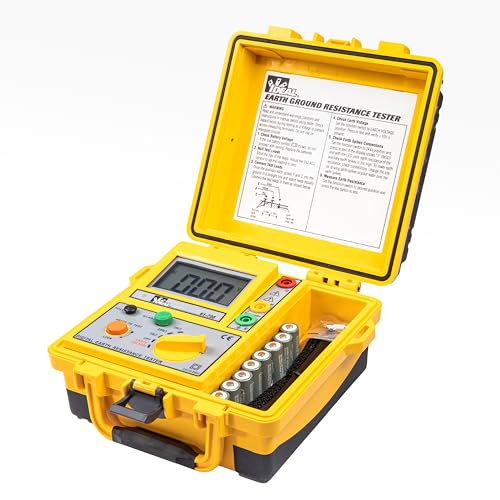
Ideal Industries 3-Pole Ground Resistance Tester: One Trade-Off Decides the Owner
A mechanism-first review of the Ideal Industries 3-pole ground resistance tester, covering the Fall of Potential trade-off, the unpublished specifications, and where the instrument stops being useful.
Read More→