As an Amazon Associate, Akermin earns from qualifying purchases. Product links on this page are affiliate links.
Verdict
The PIXEL is the smallest sensor PurpleAir makes: a single laser particle counter in a tiny housing with a colour light, powered over USB-C and reporting over 2.4 GHz Wi-Fi to the PurpleAir app. It exists for places a normal monitor does not fit, a child’s bedside, a workshop shelf, a hotel room or a desk, and for people who want several rooms on the app without several full-size sensors. It is not listed on Amazon US. The honest answer to the question in the title is that it is useful for exactly one thing, seeing particle trends in a room, and it does that as well as its larger siblings. It does not measure CO₂ or VOCs, has no display and, with a single counter, lacks the dual-channel self-check that makes the outdoor models trustworthy. For a first monitor with a screen, a listed device such as the Temtop S1 or Temtop S1+ is the better fit.
Who It Is For
- PurpleAir users adding extra rooms to the app.
- Travellers who want a particle reading in a hotel room from a laptop USB port.
- Parents who want a small, dimmable indicator in a child’s room.
Documented Specifications
| Item | Documentation |
|---|---|
| Particle sensing | Single laser particle counter |
| Reported values | PM1, PM2.5, PM10 estimates and particle counts by size |
| Indicator | Colour light |
| Connectivity | 2.4 GHz Wi-Fi to the PurpleAir app and map |
| Power | USB-C |
| Not measured | CO₂, VOCs, formaldehyde |
| Availability | Direct from PurpleAir; not listed on Amazon US |
PurpleAir’s compact models have differed in whether they carry a temperature, humidity and pressure sensor; we have not listed one here because we could not confirm it for the PIXEL from the documentation.
One Counter Instead of Two
The defining PurpleAir feature, two laser counters that check each other, is absent on the PIXEL for reasons of size. In practice that means you cannot tell from the device alone whether a reading that looks odd is real or a clogged counter. Indoors the risk is lower than outdoors, because there is less dust and no insects, and the fix is to compare the PIXEL with another sensor occasionally. If you own an outdoor PurpleAir, the app makes that comparison easy. See why two monitors show different readings; the logic applies to particle sensors as well.
What It Can Tell You
A single indoor particle counter is good at three things: showing that cooking, candles or a fireplace raised PM2.5 and how long it took to clear; showing whether a purifier on a given setting keeps a room clean during outdoor smoke; and showing whether an open window is letting outdoor particles in. It is poor at telling you why a room feels stuffy, because stuffiness is a CO₂ and humidity question and the PIXEL measures neither. Our guide to choosing an indoor air quality monitor explains which sensors answer which question.
The Light and the App
The light shows the air quality band and can be dimmed. All values and history are in the PurpleAir app; real-time data is free and historical access follows PurpleAir’s points-based terms. Setup is Wi-Fi pairing through the app, and the sensor then appears alongside any other PurpleAir devices on the account. Because it is so small, the PIXEL is easy to place badly: on a windowsill in the sun, next to a humidifier, or on the floor. Head height, away from moisture sources and out of direct sun gives the most representative reading.
Strengths
- Fits where nothing else does and runs from any USB-C source.
- Same counter class as larger PurpleAir sensors, so trends are dependable.
- Low cost per room for an existing PurpleAir user.
Limitations
- Not listed on Amazon US.
- Single counter, so no built-in self-check.
- No CO₂, VOC or display; environmental sensors unconfirmed.
How It Compares
The PurpleAir Touch is the larger indoor model. The PurpleAir Zen adds a second counter and outdoor use. Among listed monitors, the Temtop S1 is a battery particle monitor with a display and comfort readings, and the Temtop S1+ adds an app.
How We Research
This review is based on PurpleAir’s published product documentation and app help pages and on owner reports. The PIXEL is not listed on Amazon US. We did not run laboratory tests. Where the documentation was unclear, we have said so rather than guessed.
Recommended Tools
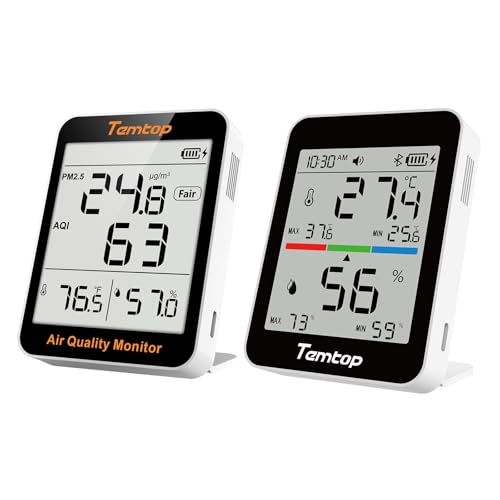
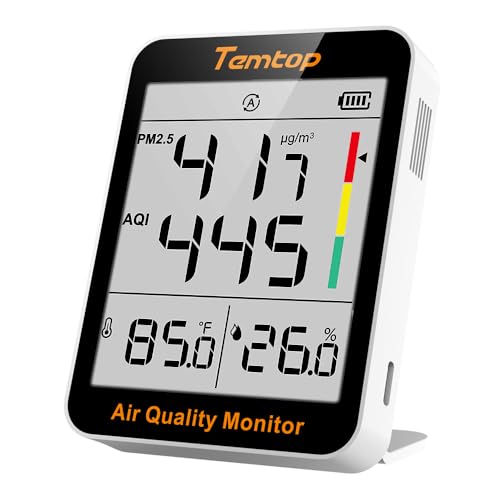
Products shown because their documented specifications fit this guide. Price and availability are on Amazon and can change.
Frequently Asked Questions
Is the PIXEL accurate enough to be useful?
It uses the same class of laser counter as other PurpleAir sensors. For trends, such as seeing a cooking spike or checking a purifier, it is as useful as a larger indoor sensor. It is not a reference instrument.
Does it measure temperature and humidity?
PurpleAir documents the PIXEL as a particle-first device. Check the current product page for the exact sensor list, as the environmental sensors on the compact models have varied.
Does it have a display?
No. A colour light shows the air quality band and the numbers are in the app.
Is it on Amazon US?
Not at the time of writing. PurpleAir sells it directly.
Affiliate disclosure: Akermin earns a commission from qualifying Amazon purchases made through links on this page. Our editorial picks are based on documented specifications and owner feedback, not commissions.