As an Amazon Associate, Akermin earns from qualifying purchases. Product links on this page are affiliate links.
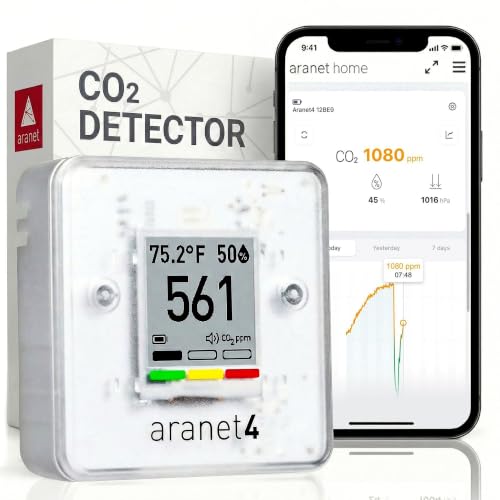
Fit each meeting room with a plug-in NDIR monitor that logs to a dashboard and shows a large number with a color indicator visible from the table. Mount it on an interior wall at 1.5 m, away from the door and vents. Post a simple rule: amber, open the door at the next pause; red, open it now and take a break. After two weeks of logs, read each room’s plateau to find the headcount its ventilation supports and adjust HVAC settings, booking capacities or meeting lengths accordingly.
Why meeting rooms first
They combine the highest occupant density in the building with closed doors and, often, the weakest ventilation, since many were carved out of open-plan space without their own supply. The result is a room that goes from 600 to 2,000 ppm within a long meeting, with the drowsiness and irritability to match. See why CO₂ readings change with occupancy.
The monitor
- NDIR sensor with stated accuracy. See how to check for a true NDIR sensor.
- Plug-in, so it samples continuously and keeps Wi-Fi on.
- Display readable from 4 to 6 m with a color indicator.
- Dashboard with per-room view, email alerts and CSV export.
- Optional PM2.5 and VOC where printers or new fit-outs are present.
See how to choose a CO₂ monitor for an office.
Placement
Interior wall, 1.5 m, midway along the room; not on the table, not by the door, not under a supply diffuser. See how to place a CO₂ monitor.
Expected behavior
| Room | People | Time to 1,000 ppm (door closed, no mechanical supply) | Plateau |
|---|---|---|---|
| Small (12 m²) | 4 | About 20 min | 2,000+ ppm |
| Medium (20 m²) | 8 | 15 to 20 min | 2,500+ ppm |
| Large (40 m²) | 12 | 25 to 30 min | 2,000+ ppm |
| Any, with adequate mechanical supply | Design capacity | May never reach it | 800 to 1,100 ppm |
The room rule
A small sign beside the monitor: green, carry on; amber, open the door at the next natural pause; red, open the door and window and take five minutes. People follow it when the reason is visible on the wall. See how to set useful alerts.
Using the log
- After two weeks, chart each room. Note the plateau reached in typical meetings.
- A plateau under 1,000 ppm: ventilation is adequate for that use.
- A plateau of 1,000 to 1,500 ppm: adequate for shorter meetings; post a capacity or a door rule.
- Above 1,500 ppm regularly: raise the fresh-air setting, add a supply, or reduce the room’s booking capacity.
- Check the overnight decay; a flat line means the HVAC is off and the room starts each day stale.
The method is detailed in how to use CO₂ data to evaluate ventilation.
Rollout
Start with the two or three rooms people complain about. Log for a fortnight, act, then extend to the rest. A dashboard of every room is the end state; the first monitor on the wall of the worst room is where behavior changes. Monitors for the job are compared in best air quality monitors for offices.
Recommended Tools


Products shown because their documented specifications fit this guide. Price and availability are on Amazon and can change.
Frequently Asked Questions
How fast does a meeting room reach 1,500 ppm?
A 20 m² room with eight people and the door closed typically passes 1,000 ppm in 15 to 20 minutes and 1,500 ppm within 30 to 45 minutes without mechanical ventilation.
What should the meeting room monitor show?
A large number and a traffic-light color everyone can see from the table. The color is what changes behavior; the number is for the log.
Should meeting rooms have a capacity based on CO₂?
A logged plateau tells you the headcount the ventilation can support at 1,000 ppm. Many organizations post that as the room capacity for meetings longer than an hour.
Affiliate disclosure: Akermin earns a commission from qualifying Amazon purchases made through links on this page. Our editorial picks are based on documented specifications and owner feedback, not commissions.