As an Amazon Associate, Akermin earns from qualifying purchases. Product links on this page are affiliate links.

Fluke · Fluke 289 True-RMS Stand Alone Logging Multimeter
View on AmazonPrice and availability are shown on Amazon and can change at any time.
Verdict
The Fluke 289 is bought for one reason: intermittent faults. The listing states stand-alone logging, TrendCapture graphical review of a logged session with zoom up to 14 times, a selectable AC smoothing filter for noisy signals, and optional Fluke Connect sharing through a separate wireless connector. If you spend time chasing a problem that only appears at night, under load, in the rain or once a week, this meter turns an unprovable complaint into a recorded event. If your faults are present while you are standing there, a Fluke 87V costs less and measures the same things.
Documented Specifications
| Item | Manufacturer listing |
|---|---|
| Measurement | True RMS, stand-alone logging multimeter |
| Logging review | TrendCapture graphical display of logged sessions |
| Zoom | Up to 14 times on trend data |
| Filtering | Selectable AC filter, described as smoothing mode |
| Sharing | ShareLive video call via Fluke Connect, requires the ir3000 FC connector sold separately |
The listing bullets do not state safety category rating, count resolution, memory depth or logging interval range. Those are on the datasheet and are worth checking against the length of session you intend to record.
The Case for Logging
An intermittent fault is the most expensive kind of fault, because the time is spent waiting rather than working. A breaker trips once a fortnight. A motor stalls only on the hottest afternoon. A supply sags when a neighbouring machine starts. In every one of those cases the diagnosis is not difficult once you can see what happened; the difficulty is being present at the moment it happens.
A logging meter removes the need to be present. You connect it, set an interval, leave it, and come back to a record. The measurement itself is ordinary; the value is entirely in the timing.
Why Graphical Review Changes the Workflow
A long log is a wall of numbers, and finding the interesting three seconds in eight hours of data by scrolling is miserable. TrendCapture, as the listing describes it, shows the session as a shape. A dip, a spike or a step is immediately visible, and zooming up to 14 times lets you go from the whole session to the event without transferring anything to a computer.
That last part matters more than it sounds. A meter that needs software on a laptop to review its own data gets used with a laptop, which means it gets used less. Reviewing on the meter means you can make a decision standing at the panel.
The Smoothing Filter Is Not Cheating
A meter connected to a noisy or rapidly changing signal displays a number that will not settle, and an unreadable display is useless. The selectable AC filter produces a steadier reading so a value can actually be taken. It is worth understanding that this changes the display rather than the circuit: the noise is still there, and if the noise itself is the fault you are chasing, turn the filter off and look at the logged trend instead.
Getting a Useful Log
- Choose the interval from the event, not the session. A fast interval fills memory quickly; too slow and a brief event falls between samples.
- Log the parameter that will show the fault. Voltage sag, current surge and resistance drift each need a different setup.
- Secure the leads. A log ruined by a probe falling off is the most common wasted deployment.
- Note the time you started, so events on the trend can be matched to what was happening in the building.
Strengths
- Stand-alone logging with no computer required.
- Graphical session review on the meter with deep zoom.
- Selectable smoothing for unstable signals.
- Optional wireless sharing for collaborative diagnosis.
Limitations
- Considerably more expensive than a non-logging industrial meter.
- Fluke Connect sharing needs a separate connector.
- Large, and not built for wet or dirty environments the way the 87V MAX is.
- Logging one parameter at a time; multi-channel recording needs a logger.
How It Compares
The 87V shares the measurement pedigree without logging. The 87V MAX trades logging for an IP67 case and a drop rating. For current logging rather than voltage, the 376 FC records through a clamp and a flexible probe. Our ranking is in the multimeter roundup.
How We Research
All figures come from the manufacturer listing and Fluke’s published documentation. We did not run laboratory tests and publish no measurements of our own.
Recommended Tools


Products shown because their documented specifications fit this guide. Price and availability are on Amazon and can change.
Frequently Asked Questions
What does stand-alone logging mean?
The meter records readings to its own memory without a computer attached. You set it up, leave it connected to the circuit, and review the session on the meter itself afterwards.
What is TrendCapture?
The listing describes it as a graphical display of a logged session so anomalies can be identified quickly, with zoom on the trend up to 14 times. Instead of scrolling through numbers, you see the shape of the session and zoom into the moment something happened.
What is the AC smoothing filter for?
The listing states a selectable AC filter that helps display a steadier reading when the input signal is changing rapidly or is noisy. It makes a jumping display readable without changing what is actually there.
Does it connect to a phone?
The listing states ShareLive video call through the Fluke Connect app, which requires the ir3000 FC wireless connector sold separately. The meter itself logs without any of that.
Affiliate disclosure: Akermin earns a commission from qualifying Amazon purchases made through links on this page. Our editorial picks are based on documented specifications and owner feedback, not commissions.
Related Guides

Hioki PD3129 Review: A Non-Contact Phase Rotation Meter and Its Ownership Costs
A single-product review of the Hioki PD3129, focused on its non-contact measurement method, published CAT III 600V rating, and the consumable and maintenance questions the listing does not answer.
Read More→
Klein Tools RT110 Outlet Tester Review: What the Listing Does Not Say
A close reading of the Klein Tools RT110 listing, covering the published specifications, the missing fault-code table, and where a three-light tester stops being the right tool.
Read More→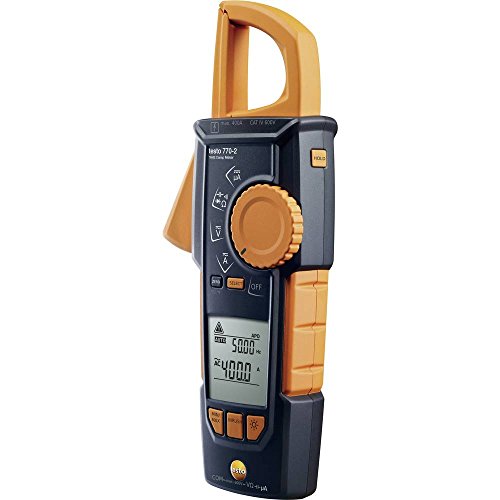
Testo 770-2 Clamp Meter Review: The Hook-Clamp That Decides the Job
A mechanism-first review of the Testo 770-2 hook-clamp meter, including what the listing states, what it omits, and where the hook design stops being the right answer.
Read More→